
On your device
You can see what a code contains without contacting the destination server.
QR code scanner for Android™
Scan QR codes easily, discover what they contain and check for potential risk signals before opening links.

example.com/documento.pdfThe file extension suggests a PDF. Opening the link may display or download it.01 / Interactive demonstration
Explore a simulation of how QRvera presents the contents of a code and helps you decide. It does not use the camera or contact external destinations.
Step 01
In this example, the QR code contains a web address. You can see what was read before continuing.
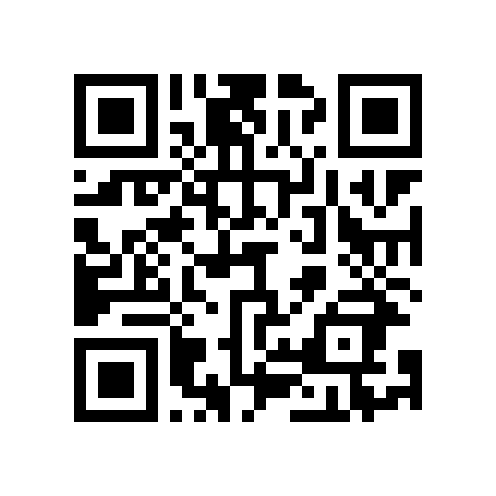
Real demonstration QR code
https://example.com/documento.pdfStep 02
The address is broken into parts so you can distinguish the estimated content from risk indicators.
https://example.com/documento.pdfThe file extension suggests that the link points to a PDF document.
The checks shown found no suspicious indicators. This does not guarantee that the link is safe.
Step 03
Review the available information and choose what to do. QRvera does not open links automatically.
The web demonstration never opens destinations.
https://example.com/documento.pdfLocal analysis example: the destination was not contacted. This does not guarantee that the link is safe.
In the app, this button opens Google Safe Browsing’s public tool so that you can check the address domain there.
transparencyreport.google.com/safe-browsing/searchQRvera does not query or interpret that result automatically. If you continue, you navigate to a Google website, which may receive technical connection information.
This demonstration does not open Google or perform the check. A favourable result does not guarantee that the document is safe.
This web demonstration only interprets the address. It does not query headers, MIME type or resource availability. HTTPS is the scheme shown in the URL, not a guarantee of safety. The app may request basic metadata when you authorise optional inspection.
Scene 1 / 3: Scan
JavaScript is disabled: the full journey is shown as static content and its actions are unavailable.
02 / Privacy
QRvera analyses code contents on your device without keeping a scan history. No account is required.
Read the privacy policyYou can see what a code contains without contacting the destination server.
If you choose to request more information about a link, QRvera may connect to its server. It could receive your IP address, the link path and its parameters.
QRvera helps you identify possible risk signals, but cannot guarantee that a link is safe or detect every threat.
03 / How QRvera works
QRvera identifies the scanned content, examines web addresses and presents information to help you decide what to do.
A QR code can contain much more than a link. QRvera identifies web addresses, text, Wi-Fi networks, contacts, phone numbers, messages, locations and other types of information.
For web links, it checks characteristics that may indicate risks, such as shortened URLs, connections without HTTPS, unusual structures, possible impersonation and file types that require caution.
QRvera can request additional technical information from the destination server, such as redirects or the type of resource a link appears to point to.
The check is optional and can be disabled in Settings. On-device analysis remains available without it.
The destination server may receive connection information. This check does not scan for malware or guarantee that the link is safe.
QRvera distinguishes risk indicators from the checks it has been able to perform.
It may report no suspicious indicators, potential risks, a blocked destination or an incomplete analysis.
Each result should be understood in the context of the checks performed and their limitations.
04 / What you can scan
QRvera recognises different kinds of content and presents them clearly before you take any action.
Shows the address and certain signals that may indicate a risk.
Identifies links that appear to point to documents or files without downloading or analysing their contents.
Identifies the connection information contained in the code.
Recognises contact card details.
Identifies phone numbers, email addresses and SMS messages.
Shows locations and text so you can review them.
05 / Languages
The app is available in Spanish, English, French, German and Portuguese.
06 / Frequently asked questions
You can download QRvera free on Google Play for Android devices.
Yes, QRvera is free and has no ads.
It shows the reasons to help you understand the result. Dangerous or blocked destinations cannot be opened from the app. Some links require an extra confirmation.
No. QRvera may not detect every threat, even when the completed checks find no risk indicators.
The check is optional. If you enable it, the destination server may receive data such as your IP address, the link path and its parameters.
No. QRvera shows you the code’s contents and the available information so you can review them before deciding whether to open a link. Destinations blocked for security reasons cannot be opened from the app.
APP
Get the information you need to decide.